



EKS Auto Mode Now Evacuates a Failing Availability Zone for You: How Zonal Shift Protects Your Uptime
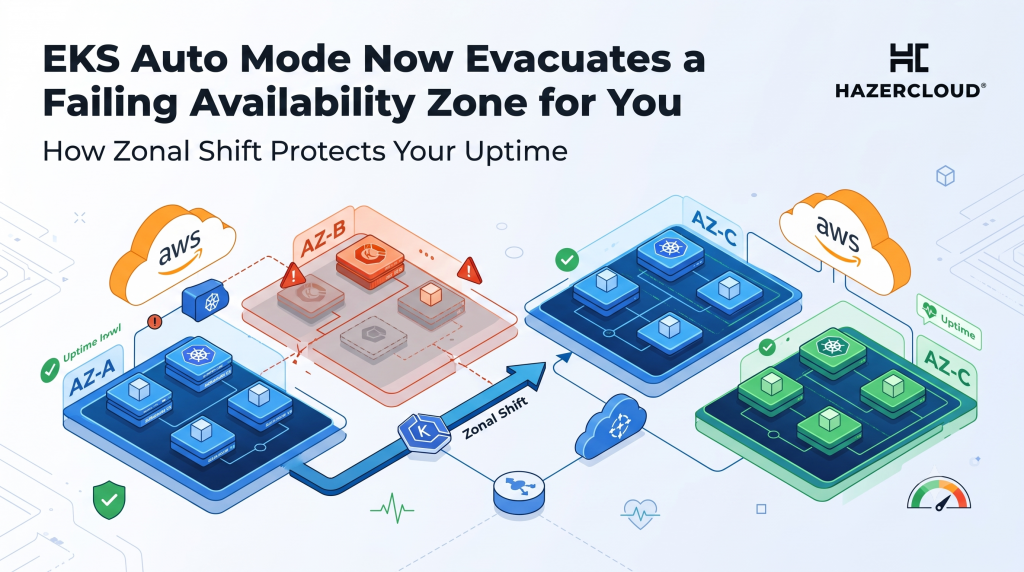
Most teams design for an Availability Zone failure on a whiteboard and then hope they never have to test it in production. The uncomfortable truth is that a single impaired AZ, the kind that does not go fully dark but instead starts dropping packets or adding latency, is one of the hardest failure modes to catch and one of the most expensive to sit through. Amazon just made that problem a lot smaller for anyone running Kubernetes. EKS Auto Mode now supports Application Recovery Controller zonal shift and autoshift, which means your cluster can move traffic out of a struggling zone automatically, without you writing a runbook, granting extra permissions, or babysitting a Karpenter version. For a founder or engineering leader who has ever watched an incident drag on while the team argued about which zone was actually broken, this is the kind of feature that quietly buys back sleep.
The short answer is this. When you enable ARC zonal shift on an EKS Auto Mode cluster, EKS will stop provisioning new capacity in an impaired Availability Zone and halt voluntary disruptions like consolidation and drift, so healthy traffic drains toward the zones that are still working. You can trigger the shift manually when you spot a problem, or you can authorise AWS to do it for you with zonal autoshift, which includes practice runs that verify your cluster still functions with one fewer AZ. It works in every region where EKS Auto Mode is available, and it costs nothing extra. The value is not a new dashboard, it is a shorter, cheaper, less human outage.
Why an Impaired Availability Zone Is So Expensive
Downtime is not an abstract risk, it is a line item. New Relic’s 2025 Observability Forecast, which surveyed more than 1,700 IT and engineering professionals across 23 countries, put the median cost of a high-impact outage at 2 million dollars per hour, or roughly 33,333 dollars for every minute systems stay down. The same research found that engineers spend about 33 percent of their time firefighting rather than building, and that 41 percent of leaders still learn about interruptions from customer complaints and tickets rather than their own tooling. Those two numbers together explain why a slow zonal failure is so damaging. It is expensive by the minute, and it is often detected late.
Smaller companies are not exempt. Analysis compiled by Gatling for 2026 puts even micro businesses with fewer than 25 employees at around 100,000 dollars per hour of downtime, mid-market firms above 300,000 dollars per hour, and regulated sectors far higher, with finance and banking exceeding 5 million dollars per hour. Set that against the availability targets teams like to quote. Five nines of availability allows only 5 minutes and 16 seconds of downtime across an entire year. A single unmitigated AZ event, dragged out over twenty or thirty minutes because nobody was sure what was failing, can spend that annual budget in one afternoon.
The Failure Mode That Ruins Your Week Is Gray, Not Black
The reason this launch matters more than it first appears is that Availability Zones rarely fail cleanly. AWS calls the hard case a gray failure, defined by differential observability, which is a precise way of saying that different parts of your system see the problem differently and none of them see it clearly. Your load balancer health checks might still pass while a slice of requests quietly times out. In AWS’s own fault injection tooling, a representative gray failure is modelled as 2 percent packet loss injected into one zone for 30 minutes, which is exactly the sort of subtle degradation that a human on-call will spend twenty minutes trying to confirm before acting.
Automated zonal shift attacks that detection gap. In the AWS power interruption scenario, autoshift is designed to move traffic away from an affected zone about 5 minutes after the disruption begins and keep it shifted for the remainder of the event, while control plane activity is rebalanced out of an impaired zone within roughly 2 minutes. Five minutes at that median enterprise rate of 33,333 dollars per minute is roughly 167,000 dollars of exposure before recovery even starts, which is precisely why closing the gap between failure and response is where the money is.
What Changes for Your Capacity Planning
There is one piece of engineering homework that zonal shift does not do for you, and it is worth naming because teams get caught out by it. When you evacuate a zone, the load does not disappear, it lands on the survivors. For a three-AZ setup behind an Application or Network Load Balancer with cross-zone load balancing turned off, AWS’s own guidance is that shifting away from one zone adds about 50 percent more load to each of the two remaining zones. If your zones are already running hot, an automatic shift can turn a partial degradation in one AZ into a capacity problem across the other two. The feature is only as safe as the headroom you leave it. This is the difference between a resilience feature that works in a demo and one that holds up during a real incident, and it is the sort of detail that separates a cluster that survives an AZ event from one that cascades.
What EKS Auto Mode Actually Automates Here
The headline for Auto Mode users is that this is close to free in effort as well as in cost. Previously, getting clean zonal shift behaviour on a self-managed data plane meant setting flags, granting permissions, and keeping your Karpenter version in step. With EKS Auto Mode, you simply enable ARC zonal shift on the cluster and AWS handles the rest. During a shift, Auto Mode stops launching new nodes in the bad zone and pauses the housekeeping actions, consolidation and drift correction, that would otherwise fight the evacuation. The practice run capability in autoshift is the part experienced teams will appreciate most, because it lets you rehearse running with one fewer AZ on a schedule, so the first time your cluster operates degraded is not during a real outage at two in the morning.
What to Do About It
Start by turning it on in a non-production cluster and running a practice autoshift, then watch what happens to latency and capacity in the remaining zones. That single test will tell you more about your real resilience than any architecture diagram. Next, check your headroom. If losing a zone would push the other two past comfortable utilisation, right-size before you rely on automatic shifting, because the feature assumes you have somewhere to put the traffic. Finally, connect zonal shift to detection you trust. Autoshift responds to AWS-detected zone impairment, but your own gray-failure signals, elevated P99 latency, rising error rates in one zone, should feed the same instinct so you can trigger a manual shift when your data sees a problem before the platform does.
If your team is running EKS in production and you are not certain how it would behave when one Availability Zone goes gray, that is worth fixing before the next incident rather than during it. HAZERCLOUD helps founders and engineering leaders design AWS architectures that fail safely, from zonal shift and capacity headroom to the observability that catches gray failures early. If you would like a second set of eyes on your resilience posture, book a free consultation and migration assessment at https://hazercloud.com/contact/ and we will walk through where an AZ impairment would actually hurt you and how to close the gap.
