



AWS Security Hub Network Scanning: How to Find the Internet-Facing Resources You Did Not Know You Had
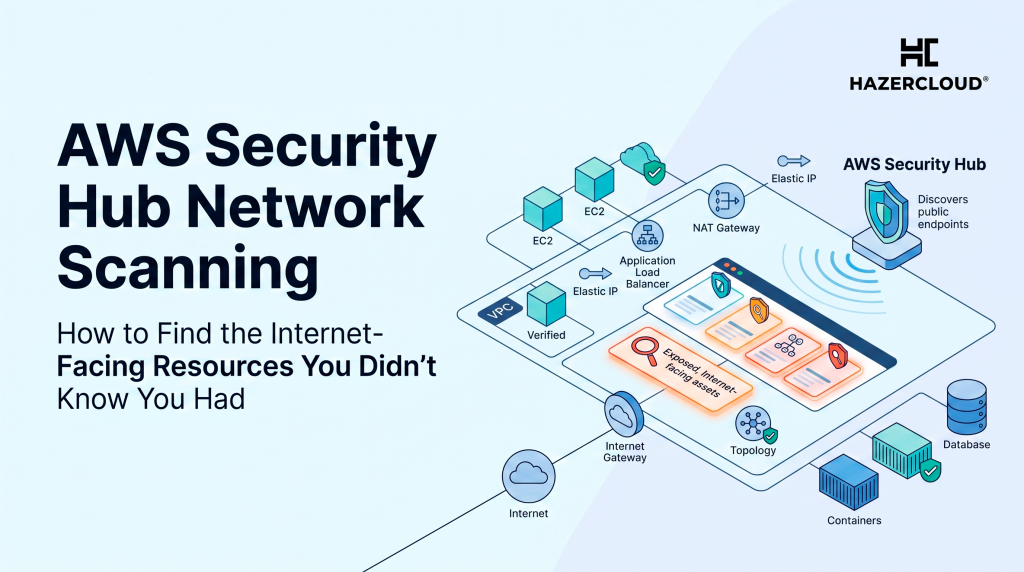
Every business running on AWS has a list of things it believes are exposed to the internet. The load balancer in front of the product. The API gateway. The marketing site. That list is almost always shorter than reality. The gap between the two, the resources nobody remembered to write down, is where breaches start. On 13 July 2026 AWS shipped a capability that closes some of that gap by doing something Security Hub has never done before: it goes outside your network and knocks on the door.
Network Scanning is a new AWS Security Hub capability that probes your resources from the public internet to confirm what is actually reachable, rather than inferring reachability from security groups and route tables. It discovers public IP addresses, virtual machines and load balancers across both AWS and Azure, identifies which ports respond, and works out what service is running behind each one. Every reachable port becomes a Security Hub finding with evidence attached. It is included with Security Hub Essentials at no extra cost, it is on by default for new customers, and existing customers can turn it on per account, per Region, or across an organisation with a configuration policy. If you have been paying a separate vendor for external attack surface scanning, this is the week to reassess that line item.
Why Configuration Analysis Was Never Enough
Security Hub already had network reachability findings. So did VPC Network Access Analyzer. Both work by reading your configuration and reasoning about what the rules permit. That is genuinely useful and it catches a lot. It is also, by construction, blind to anything your configuration model does not know about.
Configuration analysis answers the question “what does my stated setup allow?” It cannot answer “what is actually answering on port 8080 right now?” Those two questions diverge the moment someone spins up a service outside Terraform, an agency deploys a staging box on a company card, a security group gets widened during an incident and never narrowed again, or an acquired company’s account gets bolted into the organisation with its own history. Every one of those is a normal Tuesday at a growing business, and none of them show up cleanly in a config review because the config review only inspects what you pointed it at.
Active probing inverts the question. It starts from the internet, which is exactly where an attacker starts, and reports what responds. That is a fundamentally different and more honest signal.
The Data: Why Internet-Facing Exposure Is the Problem Worth Solving
Palo Alto Networks Unit 42 studied more than 250 organisations with 10,000 or more employees and found that 80 percent of medium, high and critical security exposures were observed on assets hosted in the cloud, with only 19 percent affecting on-premise assets. The same research found that over 20 percent of externally accessible cloud services change every month, and that more than 45 percent of most organisations’ high-risk cloud-hosted exposures in a given month appeared on services that had not existed on the attack surface the month before.
That last number is the one that should stop you. Nearly half of your serious cloud exposures each month are on things that were not there last month. An annual penetration test cannot see them. A quarterly config review probably cannot either. This is a continuous discovery problem, and until now AWS did not give you a native continuous discovery tool that looked from the outside in.
The attacker side of the ledger matches. Verizon’s 2025 Data Breach Investigations Report, which analysed 22,052 incidents and 12,195 confirmed breaches between November 2023 and October 2024, found exploitation of vulnerabilities rose 34 percent year on year to account for 20 percent of all breaches, putting it within two percentage points of credential abuse as the leading initial access vector. Within that category the share involving edge devices and VPNs, the internet-facing kit, jumped from 3 percent to 22 percent, close to an eightfold rise. Mandiant’s M-Trends 2025, built on more than 450,000 hours of consulting investigations, found exploits remain the most common initial infection vector at 33 percent for the fifth consecutive year.
Here is the picture assembled from those sources in one place.
| Finding | Figure | Source (year) |
|---|---|---|
| Security exposures observed on cloud-hosted assets | 80% | Unit 42 Attack Surface Threat Report (2023) |
| Security exposures on on-premise assets | 19% | Unit 42, via TechTarget (2023) |
| Externally accessible cloud services that change every month | Over 20% | Unit 42 Attack Surface Threat Report (2023) |
| High-risk cloud exposures appearing on services absent the prior month | Over 45% | Unit 42 Attack Surface Threat Report (2023) |
| End-of-life software exposed on the public internet that sits in cloud environments | Nearly 95% | Unit 42, via TechTarget (2023) |
| Exposures involving critical IT and security infrastructure | Over 23% | Unit 42 Attack Surface Threat Research (2024) |
| Exploitation of vulnerabilities as an initial access vector for breaches | 20% (up 34% YoY) | Verizon DBIR (2025) |
| Share of vulnerability exploitation involving edge devices and VPNs | 22%, up from 3% | Verizon DBIR (2025) |
| Edge device vulnerabilities fully remediated, median time 32 days | 54% | Verizon DBIR (2025) |
| Exploits as the most common initial infection vector | 33% | Mandiant M-Trends (2025) |
| Cloud environments with publicly exposed PaaS databases lacking sufficient access controls | 72% | Wiz Cloud Data Security Report (2025) |
| Cloud environments with exposed VMs or serverless instances holding sensitive data | 54% | Wiz Cloud Data Security Report (2025) |
| Cloud environments with publicly exposed containers carrying high-severity vulnerabilities with known exploits | 12% | Wiz Cloud Data Security Report (2025) |
| Organisations carrying a publicly exposed, critically vulnerable and highly privileged workload | 29% | Tenable Cloud Security Risk Report (2025) |
Read the table as a chain rather than a list of facts. Most exposures are in the cloud, the cloud surface churns faster than review cycles, attackers are increasingly coming through internet-facing assets, and a meaningful share of cloud environments have something publicly reachable that is both vulnerable and holding data worth stealing. Network Scanning attacks the first link in that chain, which is knowing what is reachable at all.
What Network Scanning Actually Adds to Your Stack
The honest framing is that this is not a new category of product. External attack surface management has existed for years and mature vendors do more than what AWS shipped this week. What changed is the cost and the friction. A capability that used to require a procurement cycle, a separate console and a five-figure annual contract is now a toggle inside a service you are probably already running, at no additional charge under Security Hub Essentials.
The Azure coverage deserves attention too, because it lands alongside Security Hub’s recent extension to monitoring Azure resources. If you are one of the many scale-ups that ended up multicloud by accident, through an acquisition or a team that preferred Azure DevOps, you now get one prioritised view of what is reachable across both. Findings from both clouds arrive in the same format and flow through the same automation.
The other meaningful piece is correlation. A reachable port on its own is not a finding worth waking anyone for. Security Hub Exposures takes the Network Scanning result and combines it with other findings and resource configuration to work out the real risk, which is how you get from “port 22 answers here” to “port 22 answers on a host with a critical CVE and a role that can read your production bucket”. That correlation is where the noise turns into a queue you can actually work.
Where This Will Bite You
Three cautions from experience. First, active probing means AWS traffic will hit your endpoints, and if you run intrusion detection or a WAF with aggressive rate rules, expect alerts from the scan itself. Tell your on-call before you enable it across the estate, not after.
Second, on by default for new customers is a genuinely good decision by AWS, and it also means new accounts in your organisation will start generating findings that nobody has triaged. A pile of untriaged findings is worse than no findings, because it trains the team to ignore the console. Decide who owns the queue before you turn it on.
Third, reachability is not the same as vulnerability. Plenty of things are meant to be on the internet. Your job is not to drive the count to zero, it is to make every reachable port a deliberate choice that someone can explain. The findings that matter are the ones where nobody in the room can answer the question “why is this open?”
What to Do About It
Turn it on in a non-production account first and look at what comes back. Almost every team we do this with finds at least one thing they cannot immediately explain, and that first surprise is the entire value of the exercise. Give it a fortnight in one account before you push a configuration policy across the organisation.
Then work the gap rather than the list. Take the resources Network Scanning found reachable and compare them against the resources you believed were reachable. The delta is your real finding. It tells you where your provisioning process is leaking, and fixing the process is worth more than closing any individual port, because the Unit 42 data says a fresh batch of exposures is arriving next month regardless.
Finally, decide the ownership question now. Someone needs to own the queue, agree what severity gets acted on inside 24 hours, and route the rest through normal engineering work. Verizon’s finding that only 54 percent of edge device vulnerabilities were fully remediated, at a median of 32 days, is not a story about tooling. Those organisations knew. The tooling told them. The remediation path is where it broke down, and a new scanner does not fix that on its own.
If you are running production on AWS and you cannot currently produce a confident, current list of everything you have exposed to the internet, that is worth an afternoon of attention rather than a place on the backlog. HAZERCLOUD helps founders and engineering teams get their AWS exposure under control, from turning on the native tooling correctly to building the remediation process that makes the findings mean something. We offer a free consultation and migration assessment, and you can book one at https://hazercloud.com/contact/. Bring us your account and we will tell you what the internet can already see.
