



AWS Copilot CLI End of Support: What ECS Teams Need to Do Before June 12, 2026
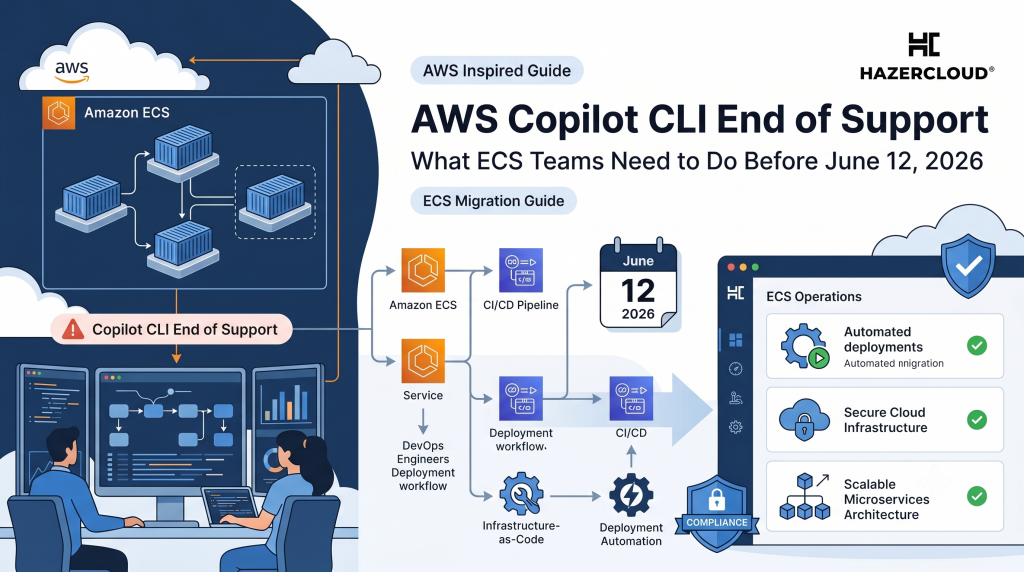
If your team shipped containers to AWS the easy way over the last few years, there is a fair chance AWS Copilot CLI is sitting somewhere in your release process. On June 12, 2026, that tool reaches end of support. It does not vanish, and your running services do not fall over, but the convenient command that built your infrastructure stops getting new features and, more importantly, stops getting security updates from AWS. For a growing business, an unpatched tool in the path that deploys your production environment is the kind of quiet risk that does not show up on a dashboard until it does. This post explains what actually changes, what does not, and how to move off Copilot calmly rather than in a panic.
The short answer is this. AWS Copilot CLI reaches end of support on June 12, 2026, after which it stays available as an open-source project on GitHub but receives no further features, patches, or technical support from AWS. Nothing you already deployed breaks on that date. The ECS services, load balancers, and CloudFormation stacks Copilot created stay exactly where they are and keep running. The work is to stop depending on the Copilot command itself for future changes, and to move that responsibility to a supported tool. AWS points teams toward Amazon ECS Express Mode for the simplest path and the AWS Cloud Development Kit for teams that want full control and Terraform remains a strong option for shops already invested in it. The deadline is real, but with a clear inventory and a short migration plan most teams can do this in days, not months.
What Copilot Actually Did for You
It helps to be honest about why Copilot was popular in the first place. It took a container image and turned it into a working production setup without asking you to learn the full surface area of ECS. Behind a handful of friendly commands it created the load balancer, the listeners and target groups, the security groups, the scaling rules, the networking, and the CloudFormation stacks that tied it all together. For a small team without a platform engineer, that was a genuine shortcut from idea to running service. The trade was abstraction. Copilot made a lot of decisions on your behalf, and many teams never looked under the bonnet because they never had to. That is exactly why the end of support matters more than it first appears. The thing you stopped thinking about is the thing you now have to understand well enough to replace.
What Changes on June 12, and What Does Not
The distinction here is worth slowing down for, because the announcement is easy to misread as an outage notice. It is not. Your live environment is unaffected. Everything Copilot stamped out lives in your AWS account as ordinary ECS, Elastic Load Balancing, and CloudFormation resources, and AWS continues to support those services in full. What ends is support for the Copilot CLI as a tool. After June 12 you can still install it from GitHub and it will still run, but if a security issue is found in it, no one at AWS is obliged to fix it. The practical effect is that any future change you make through Copilot, a new service, an environment, a deployment, runs through software that is frozen in time. The danger is not a sudden failure. It is the slow accumulation of an unsupported, unpatched dependency in the most sensitive part of your pipeline, the part that has permission to change production.
Why This Is a Business Risk, Not Just a DevOps Chore
For a founder or an engineering leader, the temptation is to file this under maintenance and move on. That underestimates it. The Copilot command typically holds broad permissions because it provisions infrastructure, which means it sits in the same category as your CI system and your deployment keys. An unsupported tool with that level of access is a supply chain exposure, and it is one your auditors and your enterprise customers will increasingly ask about. There is a second, quieter cost. Every month you delay is a month your team builds new muscle memory around a dead tool, which makes the eventual migration larger. The teams that handle this well treat the deadline as a forcing function to finally understand their own infrastructure, which pays back well beyond this one tool. The teams that handle it badly discover, six months from now, that nobody remembers how the Copilot-generated stack was wired, and they are reverse engineering it under pressure.
Your Migration Options, in Plain Terms
There is no single right answer, only the right answer for your team, and it comes down to how much control you want versus how much you want handed to you. AWS recommends two destinations, and a third is worth your attention.
The first is Amazon ECS Express Mode. This is the closest spiritual successor to Copilot and the fastest path from a container image to production. You give it an image and two IAM roles, and it builds the load balancer, the listener, the target groups, the security groups, the scaling, and the monitoring for you. If you liked Copilot precisely because it made the decisions, Express Mode will feel familiar and the migration will be light.
The second is the AWS Cloud Development Kit. This is the right choice when you want your infrastructure defined as real code in a language your team already uses, with the higher level constructs doing the heavy lifting while you keep the ability to change anything. It is more work up front than Express Mode, and it rewards that work with control and repeatability. For a scale-up that expects to run many services and wants its platform to grow with it, this is usually the better long term home.
The third option, not from AWS but widely used, is Terraform. If your organisation already manages other infrastructure in Terraform, bringing your ECS services into the same workflow keeps everything in one state and one review process, which is often worth more than any individual feature. The cost is that you will be writing the ECS, load balancer, and networking resources more explicitly than Copilot ever asked of you.
Whichever you choose, the migration pattern is the same. Inventory what Copilot built, recreate it in the new tool, point your pipeline at the new definitions, verify in a non-production environment, then cut over. Because your running resources are plain CloudFormation and ECS, you can often move deliberately, service by service, rather than in one risky leap.
What to Do About It
Start with an inventory this week, not next month. List every application, environment, and pipeline that touches the Copilot command, and note who owns each one. Most teams are surprised to find the footprint is smaller than feared, which makes the rest of the plan easier. Pick a destination based on the honest answer to one question, do you want a tool that decides for you or a tool you decide with, and let that choose between Express Mode, the CDK, and Terraform. Migrate one low risk service first to prove the pattern and write down the steps, then repeat. Set an internal cutover date a comfortable margin before June 12 so you are not deploying changes through an unsupported tool, and so any surprise has room to be fixed in daylight. Finally, treat the documentation you produce along the way as the real prize. The map of how your infrastructure is actually wired is worth keeping long after Copilot is gone.
If you would rather not spend your team’s sprint capacity reverse engineering Copilot stacks, HAZERCLOUD does this for a living. We will inventory your Copilot footprint, recommend the right destination for your team, and run the migration to Express Mode, the CDK, or Terraform with zero downtime to your live services. Book a free migration assessment at https://hazercloud.com/contact/ and we will give you a clear, fixed plan to be off Copilot well before the deadline, with your infrastructure properly documented for whatever comes next.
