


Amazon EKS Now Lets You Roll Back a Kubernetes Upgrade: How the Seven-Day Safety Net Changes Cluster Operations
Kubernetes upgrades have always been the part of running EKS that teams quietly dread. You test in staging, you read the deprecation notes, you pick a quiet window, and then you push the button and hope nothing you missed shows up in production an hour later. Until now, if something did break after a control plane upgrade, there was no way back. The only path was forward: patch the workload, roll new nodes, or in the worst cases rebuild the cluster from scratch. As of the first week of July 2026, that changes. Amazon EKS now supports Kubernetes version rollback, giving you a genuine undo button for the single most nerve-wracking operation in the container lifecycle. For any business running production workloads on EKS, this quietly removes one of the biggest sources of upgrade risk you have been carrying.
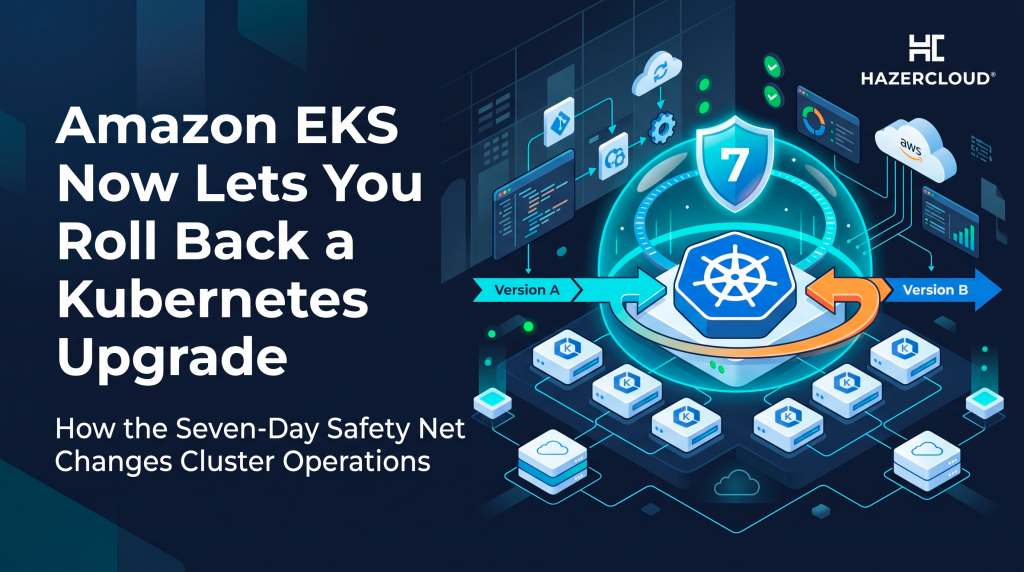
The short answer is this. If you upgrade an EKS cluster and hit a problem, you can now reverse the upgrade by one minor version, going from the new version back to the one you were on, at any point within seven days of the upgrade, as long as that previous version is still supported by EKS. AWS returns the control plane to the exact version that was running in production before, not an emulation of it, and the rollback takes roughly twenty minutes, about the same as a standard upgrade. It is available today at no extra cost in every commercial region where EKS runs. Control plane rollback works on all clusters, and node rollback is available for clusters using EKS Auto Mode. That is the whole feature in one paragraph, and the rest of this post explains why it matters more than it first appears.
Why Kubernetes Upgrades Were Such a One-Way Door
To understand why rollback is a big deal, you have to understand the cadence teams are stuck on. The Kubernetes community ships a new minor version on average every four months, which works out to roughly three releases a year. Amazon EKS puts each minor version under standard support for fourteen months from its EKS release date, then moves it into extended support for another twelve months. Miss both windows and EKS auto-upgrades your cluster to the oldest supported version for you, which is exactly the kind of unplanned change that takes workloads down at the worst possible time.
So you are on a treadmill. Three times a year a new version lands, and every version you run is on a ticking clock. That pressure pushes teams to upgrade regularly, which is the right instinct, but before rollback existed the cost of a bad upgrade was brutally asymmetric. A smooth upgrade cost you a maintenance window. A bad one could cost you a full incident, an emergency cluster rebuild, and hours of downtime while you untangled a control plane that no longer matched your workloads. That asymmetry is why so many teams sit on old versions until the end-of-support email forces their hand, which ironically makes the eventual jump larger and riskier.
The table below shows the current EKS version lifecycle and why the clock matters. Standard support ending is the date you should be planning around, because after that you are paying for and depending on extended support.
| Kubernetes version | EKS release | End of standard support | End of extended support |
|---|---|---|---|
| 1.36 | June 2, 2026 | August 2, 2027 | August 2, 2028 |
| 1.35 | January 27, 2026 | March 27, 2027 | March 27, 2028 |
| 1.34 | October 2, 2025 | December 2, 2026 | December 2, 2027 |
| 1.33 | May 29, 2025 | July 29, 2026 | July 29, 2027 |
| 1.32 | January 23, 2025 | March 23, 2026 | March 23, 2027 |
| 1.31 | September 26, 2024 | November 26, 2025 | November 26, 2026 |
| 1.30 | May 23, 2024 | July 23, 2025 | July 23, 2026 |
What Rollback Actually Does, and What It Does Not
The important detail is that rollback returns your cluster to a real, previously validated version, not a reconstruction. If you go from 1.34 to 1.35 and discover a compatibility problem, you can roll back to 1.34 within seven days and land on the same version that was serving traffic before you upgraded. This matters because a rebuilt-from-scratch cluster carries its own risk, and the whole point of an undo button is to remove risk rather than trade one unknown for another.
Rollback is scoped deliberately. It moves you back exactly one minor version, from N to N minus one. If your upgrade history was 1.29 to 1.30 to 1.31, and you rolled back to 1.30, you cannot then keep reaching further back to 1.29. The seven-day window and the single-version scope keep the feature inside the range where Kubernetes itself guarantees compatibility, which is what makes it safe to offer at all.
There is real nuance around nodes. On EKS Auto Mode, both the control plane and the managed nodes can be rolled back together, and because node rollback respects your pod disruption budgets, that part can take time depending on how conservative your budgets are. If your data plane nodes have already been recycled to the new kubelet, AWS documents the correct recovery path clearly: recycle the affected nodes back to the previous kubelet, roll kube-proxy back to a compatible version, refresh your cluster insights, and then retry the rollback. This is honest engineering guidance rather than a promise that everything reverses with one click, and it is worth reading before you ever need it.
Why This Changes the Economics of Upgrading
Rollback does not make upgrades trivial, and it does not replace testing. What it does is change the shape of the bet. Before, the downside of a bad upgrade was open-ended, so every upgrade demanded exhaustive pre-production validation and a lot of anxious hovering afterward. Now the downside has a defined floor: twenty minutes to reverse the control plane and a known recovery path for nodes. When the worst case is bounded, teams can upgrade more often and more calmly, which keeps them off ancient versions and out of the end-of-support scramble entirely.
For a founder or an engineering leader, that is the real story. The cost of staying current on Kubernetes just dropped, because the cost of a mistake dropped. Regular upgrades are how you avoid the giant, high-risk version jumps that eat weeks of engineering time and threaten uptime. Rollback makes the regular path less frightening, which is exactly what you want if your goal is a cluster that stays supported without becoming a recurring source of drama.
It is worth being clear-eyed about the limits though. Rollback is a safety net, not a substitute for compatibility work. Deprecated APIs still get removed on schedule, storage driver migrations still have to happen before certain versions, and policy changes like the removal of PodSecurityPolicy in 1.25 still require migration ahead of time. Rollback buys you a graceful exit from a surprise, but it does not excuse you from doing the homework that prevents the surprise in the first place.
What to Do About It
If you run EKS, three things are worth doing this week. First, check which Kubernetes version each of your clusters is on and where it sits against the standard support dates in the table above, because that tells you how urgent your next upgrade really is. Second, confirm whether you are running EKS Auto Mode, since that determines whether node rollback is available to you or whether only the control plane can be reversed. Third, and most usefully, rehearse a rollback in a non-production cluster now, while there is no pressure, so that the recovery steps for nodes and kube-proxy are muscle memory rather than something you are reading for the first time during an incident. A safety net you have never tested is just a hope.
If you would rather not work through EKS version lifecycles, pod disruption budgets, and rollback rehearsals on your own, this is exactly the kind of operational groundwork HAZERCLOUD handles for growing businesses running on AWS. We can review your current cluster versions, map out a safe upgrade cadence that keeps you inside standard support, and put a tested rollback runbook in place so your next Kubernetes upgrade is a routine change rather than a gamble. Book a free consultation and cluster upgrade assessment at https://hazercloud.com/contact/ and we will tell you honestly where your EKS risk sits and what it takes to close it.
