



AWS Disaster Recovery for Small Business: A Practical Guide That Won’t Break the Bank
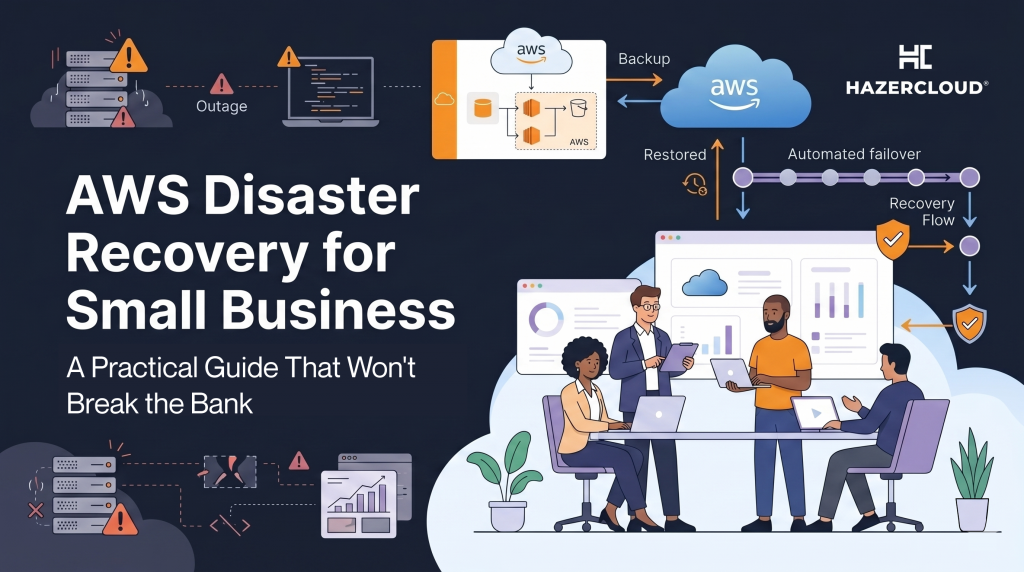
Most small business owners know they should have a disaster recovery plan. Far fewer actually have one. The reasons are usually the same: it sounds expensive, it sounds complicated, and nothing bad has happened yet. But when a critical database goes down, a ransomware attack encrypts your files, or an entire AWS region experiences an outage, the businesses that recover in minutes are the ones that planned for it and the ones that lose days of revenue are the ones that assumed it would never happen to them.
The reality is that AWS disaster recovery does not have to be expensive or complex. AWS offers four distinct DR strategies, and the most affordable option can be set up in an afternoon. The key is understanding which approach fits your business, your budget, and how much downtime you can actually tolerate.
Two Numbers That Drive Every Decision
Before choosing a disaster recovery strategy, you need to answer two questions. First, how much downtime can your business survive? That is your Recovery Time Objective, or RTO. Second, how much data can you afford to lose? That is your Recovery Point Objective, or RPO. A retail business processing online orders might need an RTO of under an hour and an RPO of minutes, because every lost transaction is lost revenue. A company using AWS mainly for internal tools might tolerate a few hours of downtime and a day’s worth of data loss.
These two numbers determine everything. A business that needs near-zero downtime will invest more in DR than one that can wait a few hours to recover. Neither answer is wrong what matters is that you have made a conscious decision rather than leaving it to chance.
Four Strategies, From Simple to Sophisticated
AWS breaks disaster recovery into four tiers, and each one represents a different trade-off between cost and recovery speed.
The first is backup and restore. This is the most affordable approach and the right starting point for many small businesses. You take regular backups of your data databases, application configurations, critical files and store them in a separate AWS region using S3. If something goes wrong, you spin up new infrastructure and restore from those backups. The cost is essentially just storage, which for most small businesses amounts to a few dollars a month. The trade-off is time: restoring from backup can take several hours depending on the size of your data and the complexity of your environment.
The second is pilot light. In this model, you keep the absolute core of your system typically your database running in a second AWS region at all times, but everything else stays turned off. When disaster strikes, you bring up the rest of your application around that live database copy. Recovery is faster than backup and restore, usually within 30 to 60 minutes, and the ongoing cost is modest because you are only paying for one small, continuously running database instance.
The third is warm standby. This takes pilot light a step further by running a scaled-down but fully functional copy of your entire environment in a second region. When you need to fail over, you scale it up to handle production traffic. Recovery times drop to minutes rather than hours, but you are paying for a continuously running (if smaller) environment.
The fourth is multi-site active-active, where your application runs at full capacity in two or more regions simultaneously. There is essentially no downtime because traffic simply shifts from one region to another. This is what banks and global SaaS platforms use, and the cost reflects it you are paying for two complete production environments. For most small businesses, this is more than what is needed.
What This Actually Costs
The cost conversation is where most small business owners get stuck, so it is worth being specific. Backup and restore for a typical small business a few databases, an application server, and associated storage might add $20 to $50 per month to your AWS bill, almost entirely in S3 storage costs. Pilot light adds the cost of a small, always-on RDS instance in a second region, which could run $50 to $150 per month depending on the database engine and size. Warm standby doubles that because you are running a slimmed-down version of your full stack. Multi-site active-active roughly doubles your entire infrastructure bill.
For the majority of small businesses, backup and restore or pilot light provides the right balance. You get meaningful protection against data loss and extended outages without spending thousands per month on infrastructure you hope to never use.
Why This Matters More Than It Used To
The threat environment has changed significantly over the past two years. Ransomware attacks targeting small and mid-sized businesses have increased sharply across the UK, US, and Europe, and attackers increasingly go after cloud-hosted data rather than just on-premises systems. At the same time, businesses have become more dependent on their cloud infrastructure if your customer-facing application, your order management system, and your internal tools all run on AWS, a single regional outage affects everything.
Regulators are also paying closer attention. UK and EU businesses handling customer data have obligations under GDPR to ensure appropriate data protection measures, which includes the ability to restore access to personal data in a timely manner following an incident. Having no disaster recovery plan is increasingly difficult to defend if something goes wrong.
Where to Start This Week
If you have no disaster recovery plan today, start with backup and restore. Enable automated backups for your RDS databases if you have not already AWS does this by default with a seven-day retention period but verify that yours are actually running and that the retention window is long enough. Set up cross-region replication for any S3 buckets containing critical data. Export your infrastructure configuration so you could recreate your environment in another region if needed tools like AWS CloudFormation or Terraform make this repeatable.
Once those basics are in place, test a recovery. The most common disaster recovery failure is not a missing backup it is a backup that nobody ever tried to restore. Spin up a test environment in a second region, restore your data, and confirm that your application actually works. The first time you test it, you will almost certainly find gaps. Better to find them on a Tuesday afternoon than during an actual emergency.
If you want help putting a disaster recovery plan in place or if you want someone to pressure-test the one you already have HAZERCLOUD builds and manages DR solutions on AWS for small and mid-sized businesses across the UK, Europe, and the Middle East. We will find the right strategy for your risk profile and your budget, and make sure it actually works when you need it. Get in touch
