



AWS IAM Access Analyzer Now Tells You Who Can Reach Your S3 Buckets: How Internal Access Findings Close the Over-Permissioning Gap
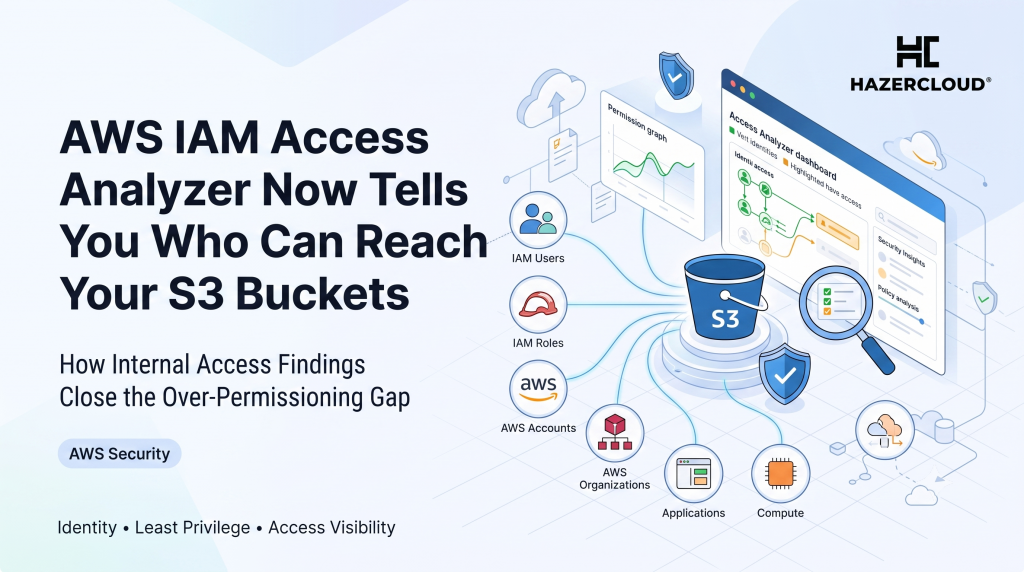
Most cloud breaches do not start with a clever exploit. They start with an identity that could reach something it never should have been able to reach. AWS has just made that problem far easier to see. IAM Access Analyzer can now verify which principals inside your AWS organization have access to your most critical resources, including S3 buckets, DynamoDB tables, and RDS snapshots, and it uses automated reasoning to prove the answer rather than guess at it. For any founder or engineering leader who has ever been asked “who can actually read our customer data?” and could not answer with confidence, this is the closest AWS has come to giving you a straight reply.
The short answer is this. IAM Access Analyzer now offers internal access findings that evaluate all of your policies together, service control policies, resource control policies, and identity-based policies, and tell you exactly which users and roles can reach a named critical resource. It monitors your selected resources daily and surfaces the results in a single dashboard that combines both internal and external access, giving you a full view of who can touch the data that matters most. It does not rely on log sampling or on someone reading a policy by eye. It uses provable security, the same mathematical logic AWS applies elsewhere in IAM, to give you an answer you can take to an auditor.
Why “Who Can Access This?” Is Harder Than It Sounds
If you have ever tried to answer that question by hand on a real AWS account, you know why it is so painful. Access in AWS is the sum of many layers. An identity policy might grant read access to a bucket, a resource policy might widen or narrow it, a permission boundary might cap it, and a service control policy or resource control policy at the organization level might override the whole thing. Working out the net effect of those layers for one principal is tedious. Working it out for every principal against every critical resource, and keeping that answer current as policies change, is effectively impossible for a human team.
That is exactly why over-permissioning has become the default state of the cloud rather than the exception. The numbers here are not close. Microsoft’s State of Cloud Permissions Risks research found that user and workload identities use just 1 percent of the permissions granted to them for their day-to-day work, and that more than half of all identities qualify as “Super Identities” with access to all permissions and all resources. Over 60 percent of all identities are inactive. Less than 2 percent of the permissions granted to those Super Identities are ever actually used. In other words, most of the access sitting in your account is doing nothing but widening your blast radius.
The gap is now the single biggest source of cloud risk. ReliaQuest reported that 99 percent of cloud identities are over-privileged, and that 44 percent of the true-positive alerts it recorded in the third quarter of 2025 traced back to identity-related weakness, including excessive permissions, misconfigured roles, and credential abuse. When almost every identity carries more access than it needs, the question of “who can reach this bucket” stops being academic and becomes the thing that decides how bad your next incident is.
The Data: Over-Permissioning Is the Norm, Not the Exception
Pulling the figures together from four industry sources tells a consistent story. Access is where cloud security fails, and most organizations cannot see the exposure they already carry.
| Metric | Figure | Source |
|---|---|---|
| Cloud permissions actually used for day-to-day work | 1% | Microsoft State of Cloud Permissions Risks (via Infosecurity Magazine) |
| Identities that are “Super Identities” with access to everything | 50% | Microsoft State of Cloud Permissions Risks |
| All cloud identities that are inactive | over 60% | Microsoft State of Cloud Permissions Risks |
| Permissions actually used by Super Identities | under 2% | Microsoft State of Cloud Permissions Risks |
| Cloud identities that are over-privileged | 99% | ReliaQuest, Q3 2025 (via Infosecurity Magazine) |
| True-positive alerts traced to identity-related weakness | 44% | ReliaQuest, Q3 2025 |
| Breaches that began with credential abuse | 22% | Verizon 2025 Data Breach Investigations Report |
| Breaches involving the human element | 60% | Verizon 2025 Data Breach Investigations Report |
| Global average cost of a data breach | $4.44 million | IBM Cost of a Data Breach 2025 |
| Saving when a breach is caught internally rather than by the attacker | $900,000 | IBM Cost of a Data Breach 2025 |
The Verizon 2025 Data Breach Investigations Report, drawn from more than 20,000 security incidents, found that 22 percent of breaches began with credential abuse and that 60 percent of breaches involved the human element. When a legitimate credential with too much access is stolen or misused, the over-permissioning you never cleaned up is what turns a single compromised login into a full data breach. IBM’s Cost of a Data Breach 2025 report puts the global average cost of that breach at 4.44 million dollars, and it also found that organizations who detected the breach internally saved around 900,000 dollars compared with those who only learned about it when the attacker told them. Knowing who can reach your data before an incident, and spotting the wrong answer yourself, is worth real money.
What IAM Access Analyzer Internal Access Findings Actually Do
The new capability is narrow on purpose, and that is a strength. You tell IAM Access Analyzer which resources are critical, the crown jewels like your customer data buckets, your production DynamoDB tables, and your database snapshots. The analyzer then evaluates every policy that could affect access to those resources across your organization and generates a finding whenever a user or role can reach one of them. Because it uses automated reasoning rather than traffic analysis, it is telling you what access is possible under your current policies, not merely what access has been exercised recently. That distinction matters. An identity that has never touched a bucket but could reach it tomorrow is exactly the dormant risk you want to find before an attacker does.
It runs on a daily cadence and presents everything in one dashboard. AWS has folded internal access findings into the same view as the existing external access findings, so you get a single place to answer both “who outside my account can reach this” and “who inside my organization can reach this.” For a scale-up that has grown from one AWS account to many, and has accumulated roles, cross-account trust relationships, and half-forgotten service accounts along the way, that combined view is the first time the full picture has been available without buying a separate third-party tool.
Where This Fits Against the Rest of Your Security Stack
If you have been following AWS security releases this year, this lands next to a run of features all aimed at the same problem: understanding real exposure rather than theoretical configuration. Security Hub added impact analysis to map the blast radius of an exposed resource, and more recently added network scanning that probes your resources from the public internet to confirm what is genuinely reachable. IAM Access Analyzer internal access findings are the identity-layer counterpart. Network scanning tells you what the internet can reach. Internal access findings tell you what your own principals can reach. Together they close the two halves of the exposure question that used to require guesswork and a spreadsheet.
None of this replaces least privilege as a discipline. It makes least privilege measurable. The reason 99 percent of cloud identities end up over-privileged is not laziness, it is that nobody could see the drift as it happened. A daily finding that says “this role can now read your customer bucket” turns permission sprawl from an invisible accumulation into something you can catch and fix in the same week it appears.
What to Do About It
Start by naming your critical resources honestly. Most teams have fewer true crown jewels than they think, usually a handful of buckets, one or two databases, and the snapshots behind them. Enable internal access analysis on exactly those and let the daily findings run for a week before you react, so you are working from the real picture rather than your assumptions about it. Then treat each finding that surprises you as a small investigation: was this access ever intended, is the identity still in use, and which policy layer granted it. The Microsoft figure that over 60 percent of identities are inactive means a large share of your findings will point at principals nobody is using, and those are the fastest, safest wins to remove. Finally, wire the findings into whatever you already use for change review, so that a new path to a crown-jewel resource is something a human signs off on rather than something that appears silently.
Getting this right is less about the tooling and more about knowing which resources deserve the scrutiny and how to remediate without breaking a running workload. That is the work HAZERCLOUD does every day. If you want a clear answer to “who can reach our most sensitive data on AWS, and what should we cut,” HAZERCLOUD can run an access and least-privilege review of your environment and give you a prioritized remediation plan you can act on. Book a free consultation at https://hazercloud.com/contact/ and we will help you turn these new findings into a smaller, safer blast radius.
